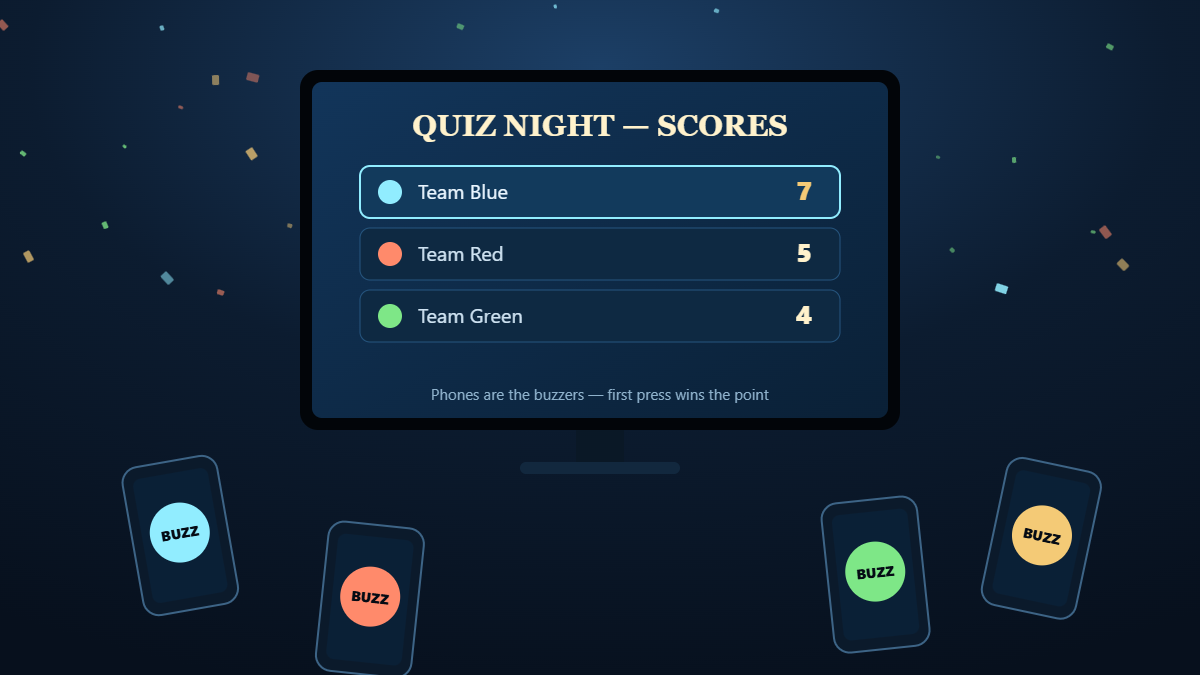
Quick answer: you can play free party games on your TV with phones as controllers by opening gamesontv.online in your smart TV's web browser, choosing a party game, and having each guest scan the QR code on the screen with their phone camera. Each phone turns into a buzzer, a private hand of cards or a secret game board straight away. You don't need an app, a console, an account or a purchase, and up to 12 people can play depending on the game.
This guide covers the best free multiplayer party games that use phones as controllers, how many players each one supports, and how to get a whole room playing on one TV in under a minute. The first guide, playing games on TV with just the remote, covers the remote-only games. This one is about big groups.

How phone-controller party games work
A phone-controller party game splits the game between two kinds of screen:
- The TV is the shared screen. Everyone sees the questions, the board, the timer and the live scoreboard there.
- Each phone is a private controller. It holds the things only you should see or press: your answer buttons, your hand of cards, where you placed your ships, your written answers.
The phones connect through the phone's own web browser. When a game starts, the TV shows a QR code and a short link. Guests point their camera at the code, tap the link, and the controller opens in the browser. You don't need an app store, a download or an account. iPhone and Android both work, and guests can join from their seats.
That's why phone-controller games suit parties so well. You don't have to buy or charge extra gamepads, and a room of 8 or 12 people can play one game on one TV.
The best free party games on TV with phone controllers
Every game below is free, runs in the TV browser and lets guests join by scanning a QR code with their phone.
| Game | Players | What your phone does | Best for |
|---|---|---|---|
| Apex Quiz TV | 1–8 | A, B, C, D answer buzzer | Quiz night, mixed-age family trivia |
| Words of Categories | 2–12 | Private answer sheet and buzzer | Adults, teens, word lovers |
| One Word Charades | 2–12 | Optional controller for the actor | Loud parties, team play |
| Battleships TV | 2–8 | Your secret fleet and radar | Strategy, team battles |
| Spot the Difference | 1–8 | Touch controller to tap differences | All ages, head-to-head races |
| Card Games Suite | 1–5 | Your private hand of cards | Rummy, Hearts, Spades, Go Fish |
| TV Checkers | 2 | One controller per player | Two-player duels on the sofa |
Apex Quiz TV: a live quiz show for up to 8 players
Apex Quiz TV turns the TV into a quiz-show stage. Questions appear on the big screen and players answer on their phones, which become A, B, C, D buzzers. The leaderboard updates live after every question. You can choose age groups and 19 topics, and Family Mixed mode alternates kid-friendly and adult questions so grandparents and 8-year-olds can compete fairly. It's the easiest way to run a quiz night at home without writing any questions yourself.
Words of Categories: the classic category word race
Words of Categories is the TV version of the classic "name something in every category that starts with this letter" game. The TV shows the letter, the categories, the timer and the score table. Each of 2 to 12 players types their answers privately on their phone. The first player to finish hits STOP, and everyone else gets a 10-second warning. It's quick, competitive and good for teens and adults.
One Word Charades: act it out on the big screen
One Word Charades puts the word card on the TV, keeps the timer running for everyone and keeps score between two teams, or for up to 12 people in individual mode. There are 15 categories of one-word cards, and you can add your own custom words for in-jokes. You can run it with the TV remote alone or connect a phone as a controller, which makes it a very quick setup for a birthday party game or a Christmas party game.
Battleships TV: up to 8 players, fleets hidden on phones
Battleships only works if nobody can see your fleet. Battleships TV solves this by putting each player's ships on their own phone. Everyone places their fleet in private, then picks targets on a phone radar while the TV shows the battle. It supports 2 to 8 players across Classic Free-For-All, Fast Battle, Salvo Mode and Team Battle (2v2, 3v3, 4v4). That makes it one of the few ways to play Battleships with a whole group rather than just two people.
Spot the Difference: race to find differences on the TV
Spot the Difference shows two detailed scenes side by side on the TV. Solo players can use the remote. Turn on Party Mode and up to 8 players connect their phones as touch controllers and race to tap each difference first, with a live leaderboard. Young children can play it with adults, so it's one of the best family party games on the site.
Card Games Suite: your hand stays on your phone
With the Card Games Suite you can play Solitaire, Rummy, Spades, Hearts, Cribbage, Go Fish and Crazy Eights on the TV. Each player's hand stays private on their phone while the table sits on the big screen, for up to 5 players. Computer bots fill any empty seats.
How to set up a TV party game night in 60 seconds
- Open the browser on your TV. It's usually called Internet, Web Browser or Silk on Fire TV. You can also use a laptop plugged in by HDMI.
- Go to gamesontv.online and pick a party game with the remote's arrow keys and OK.
- Everyone scans the QR code on the TV with their phone camera. Guests without a camera can type the short link instead.
- Enter names and pick teams on the phones, then start the first round from the TV.
Every phone only needs a web browser and an internet connection. For the smoothest game, keep phones and TV on the same good Wi-Fi.
Free party tools that turn any game into a game show
You can add the free game tools to the games above, or to a board game from the cupboard:
- Buzzer: phones become BUZZ buttons, and the first press wins. You can run your own quiz or "name that tune" round.
- Timer: a giant countdown on the TV, controlled from a phone. Use it for charades, Pictionary or speed rounds.
- Scoreboard: tracks 2 to 12 players or teams in big, readable numbers.
- Random Player: picks who goes next, with a no-repeat mode so nobody is skipped.
- Random Letter: gives an A to Z letter for word games and categories.
Which party game should you pick?
- Mixed ages, family gathering: Apex Quiz TV in Family Mixed mode, or Spot the Difference.
- Big, loud group of adults: One Word Charades in two teams, then Words of Categories.
- Competitive friends who like strategy: Battleships TV in Team Battle mode.
- A quieter evening for 2 to 5 people: Card Games Suite or TV Checkers.
- Classroom or office party: the quiz with the Scoreboard, and the Random Player to pick who answers.
Tips for a great party game night on TV
- Start with the quiz. It's the easiest game to explain, and it gets everyone's phone connected before you move on.
- Turn up phone brightness and turn off auto-lock so controllers don't sleep between rounds.
- Mix team games and solo games. Teams keep shy guests involved, and solo rounds give competitive players a chance to show off.
- Keep rounds short. Several 10-minute games keep a party livelier than one long one.
Frequently asked questions
How do I use my phone as a controller for games on my TV?
Are these TV party games really free?
Is this a free alternative to Jackbox?
How many people can play at once?
Do guests need to download an app?
Which TVs support phone-controller party games?
Can I play without phones?
Ready to get the whole room playing? Turn on the TV, open the browser and pick a party game. Everyone's phone is already in their pocket.