Looking for a new game on your smart TV? Three recent GamesOnTV additions take familiar arcade ideas in different directions. Gem Clash is about planning swaps and chain reactions. Bubble Pop asks you to aim and match colours. Bricks & Balls Crusher turns each shot into a ricochet puzzle. All three open in a browser without an app download.
Start with a solo campaign to learn the controls, then explore the multiplayer choices from each game's menu. The screenshots below are from the games themselves, captured during live play.
Which new game should you try first?
| Game | What you do | Good first pick if you like... |
|---|---|---|
| Gem Clash | Swap neighbouring pieces to make rows or columns of three or more. | Planning a move, then watching a chain reaction unfold. |
| Bubble Pop | Aim a coloured bubble at a cluster of the same colour. | Quick shots and bouncing off the side walls. |
| Bricks & Balls Crusher | Launch bouncing balls to clear numbered bricks. | Choosing an angle that lands several hits. |
Gem Clash: make a move that keeps paying off
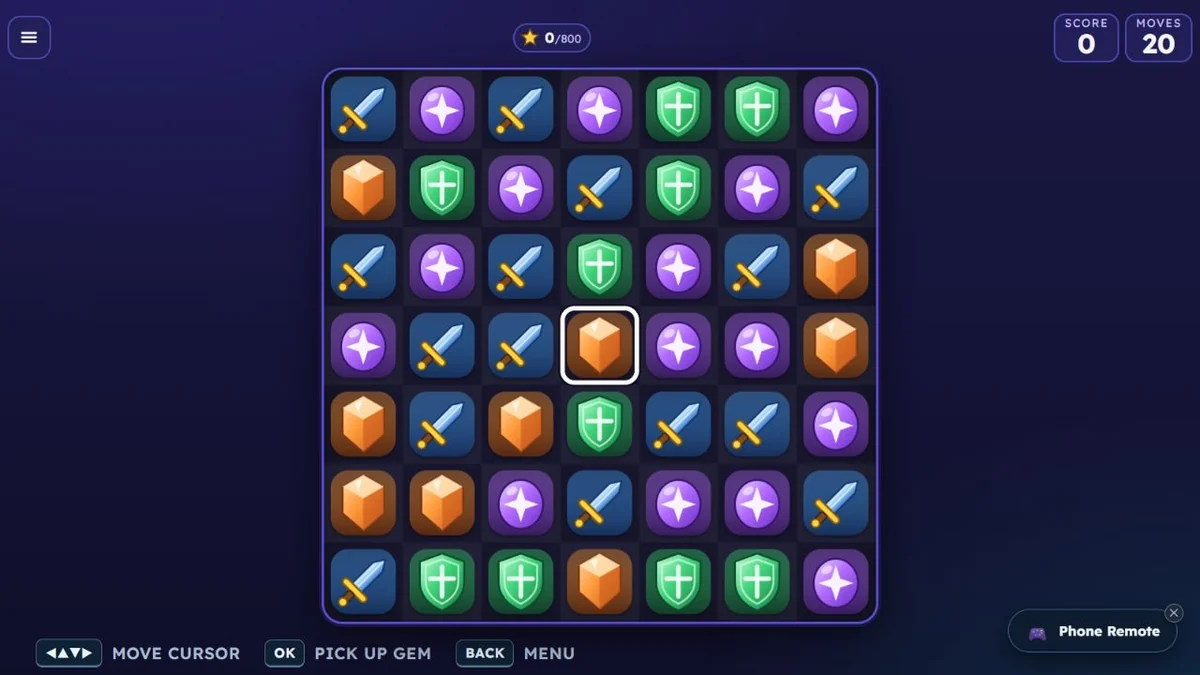
In Gem Clash, a swap counts when it lines up at least three matching pieces. The matched pieces disappear and pieces above fall into the spaces, sometimes making another match without another move. Level 1 begins with a score target of 800 and 20 moves, so it is a good place to learn the board before worrying about power-ups.
On the TV, the arrow keys move the cursor. Press OK to pick a piece, then an arrow to swap it with a neighbour. On a touch screen, you can swipe a piece or tap two adjacent pieces. The campaign screen contains 50 levels across five worlds; the menu also offers a phone-based Multiplayer Race, a two-player Shared Board Duel and Family Co-op.
Bubble Pop: aim for the cluster
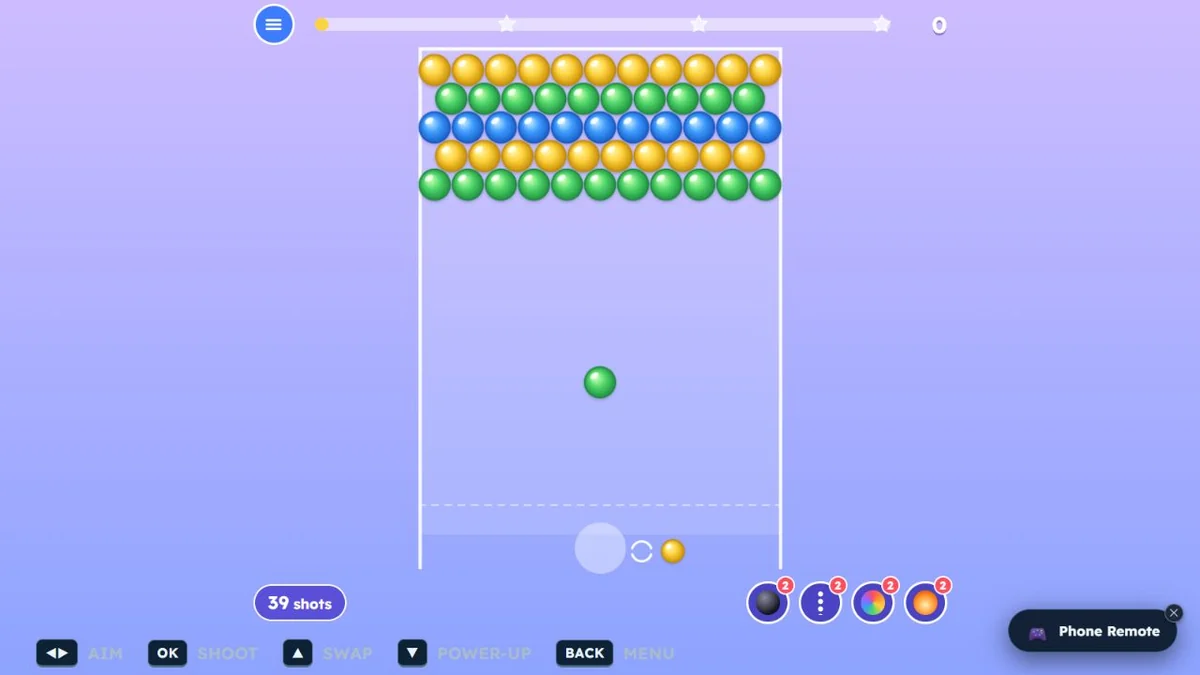
Bubble Pop starts with a wall of coloured bubbles and a launcher at the bottom. Match three or more of one colour to pop them. A shot can also cut bubbles away from the ceiling, so look for a cluster that supports other bubbles. The first level gives you 40 shots to clear the board.
Use left and right on the TV remote to aim and OK to shoot. On a phone or computer, drag to choose an angle and release to fire. You can bounce a shot off a side wall to reach a gap that a straight shot cannot. Its menu includes a 50-level solo campaign, a race, Family Co-op and a two-player Bubble Battle.
Bricks & Balls Crusher: find the ricochet
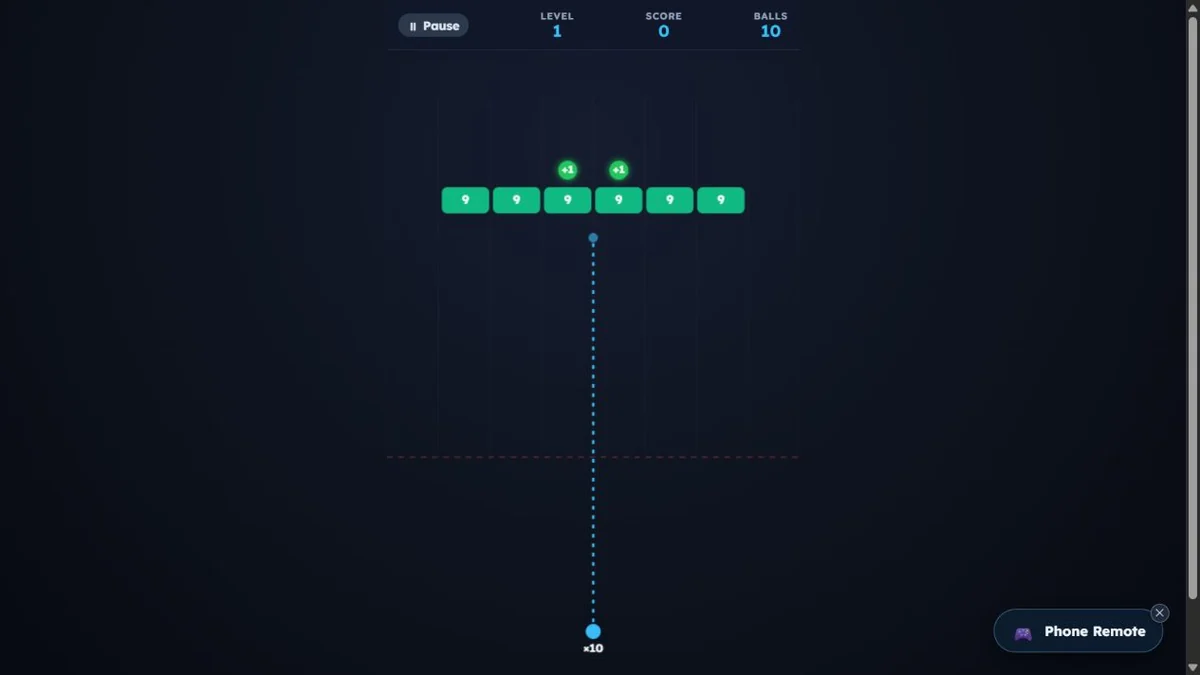
In Bricks & Balls Crusher, the numbers on bricks tell you how many hits they need. Aim a stream of balls so it bounces between bricks and walls, then clear the bricks before they reach the danger line. The first campaign level starts with 10 balls and a row of numbered bricks.
On the TV remote, left and right change the aiming angle and OK launches the shot. The menu offers a 50-level Solo Campaign, Endless Survival, Multiplayer Race, Family Co-op, Brick Battles and a one-screen turn-based duel. The campaign is the easiest way to get a feel for the angle and ball path before trying another mode.
How to start playing
- Open GamesOnTV in your smart TV browser, or open one of the game links above on a phone or computer.
- Select the solo campaign and start level 1. It teaches the core action without needing another player.
- On a TV, use the arrow keys and OK button shown on the game screen. If you want to bring phones into a multiplayer mode, open the Phone Remote panel and follow its QR code or room instructions.
For a short session, pick Bubble Pop if you want to shoot right away, Gem Clash if you prefer choosing each move, or Bricks & Balls Crusher if you enjoy aiming for a clever bounce. If two people want a game on one shared remote, our two-player TV games guide has more options.