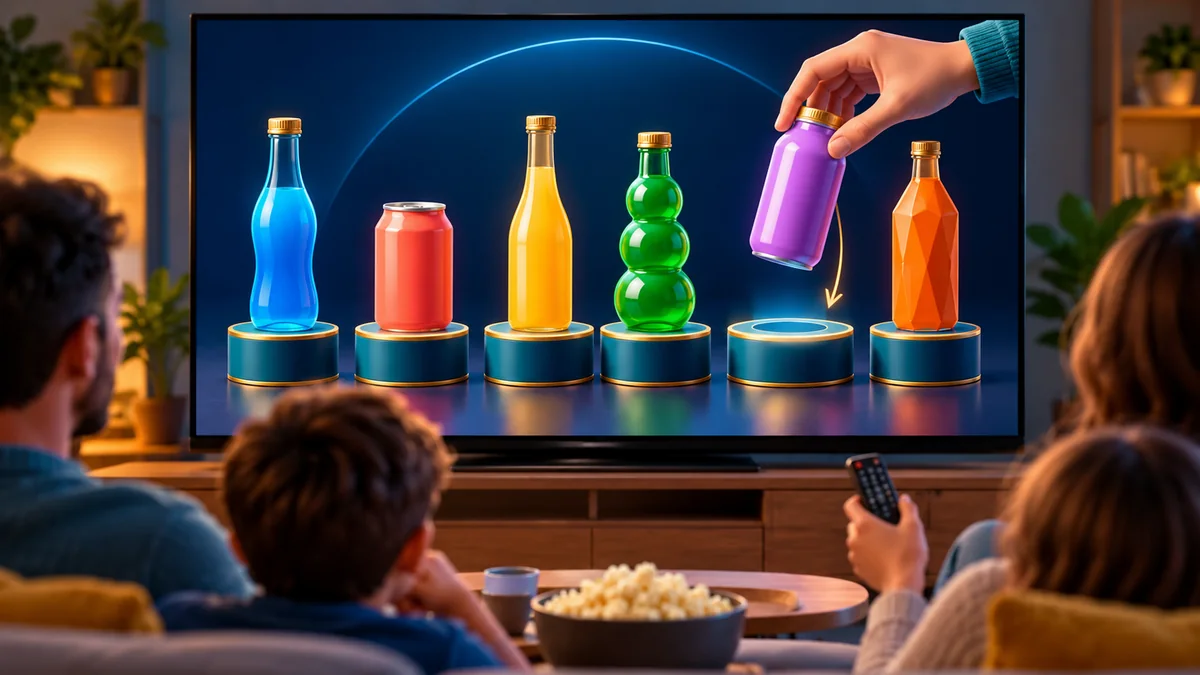
Quick answer: Bottle Order is a free sequence-deduction puzzle for smart TV browsers. The game hides an order of colorful bottles and cans; players use clues and careful choices to uncover it. Choose Swap & Guess or Pick & Place, play solo through 40 campaign levels, or take turns in party mode for 2–6 players. The TV remote works on its own, and phones can join by scanning the on-screen QR code.
A bottle sequence puzzle made for the big screen
At the start of a puzzle, Bottle Order has a secret arrangement of bottles. Your job is to work out both which bottles belong in the sequence and where they go. Each turn gives you another chance to narrow down the possibilities, using feedback from earlier attempts rather than relying on a lucky guess.
The bottles are large and colorful on the TV, making the puzzle easy for a group to discuss from the couch. Players can suggest a move together, or compete to solve the level efficiently. Bottle Order is a browser game, so there is no console or installation step before play.
Two ways to solve the puzzle
Swap & Guess: use the clue, then revise your order
In Swap & Guess, bottles appear in an arrangement that you can change by swapping positions. When you press Check, the game tells you how many bottles are in the correct positions, but it does not reveal which positions are right. Use that total as a clue: change the arrangement, check again and compare the result with your previous attempt.
This mode rewards deduction. If a swap raises the correct-position count, you learned something; if it lowers the count, put the earlier pair back and test a different idea. Guess History helps you compare attempts rather than starting over from memory.
Pick & Place: place bottles one at a time
In Pick & Place, bottles begin in a tray and you place them onto numbered pedestals. Feedback tells you whether a placement is correct. A right choice locks into position; a wrong choice returns to the tray. In multiplayer, the game can keep a player’s turn going after correct choices under its streak rules.
The modes share the same hidden-sequence idea but feel different: Swap & Guess gives a count after a complete arrangement, while Pick & Place confirms individual placements. Try both to see whether your group prefers comparing clues or filling the sequence one slot at a time.
Play Bottle Order on your TV remote
- Open Bottle Order in the TV browser and choose Solo Campaign, Quick Game or Multiplayer.
- Choose a puzzle mode, then use the remote’s arrow keys to move between bottles, pedestals and buttons.
- Press OK to select, pick up or place a bottle. In Swap & Guess, use Check to see how many positions are right.
- Use each result to plan the next arrangement until the full order is solved.
The TV remote is enough to play: use directional navigation, OK or Enter to confirm, and Back or Escape to leave a selection or return to the menu. In Pick & Place, Up and Down move between the bottle tray and the target pedestals. The on-screen controls make it clear what the next action will do.
Solo campaign: 40 levels that add new challenges
Bottle Order includes a 40-level Solo Campaign. It starts with smaller sequences and progresses from three bottles to puzzles with as many as ten. Later levels can add attempt limits, similar-looking color palettes and mixed play modes. You can earn up to three stars on a level for solving it efficiently.
Campaign progress is saved on the TV, so you can leave and return to the levels you have unlocked. If you would rather set up a one-off puzzle, Quick Game offers custom rules and bottle counts without campaign progression. The game does not present named Easy, Normal or Hard settings; its campaign increases the challenge through the puzzles themselves.
Party mode for two to six players
Multiplayer Party Mode supports 2–6 players and takes turns on the same TV. Players can pass a single remote around, making it easy to start without extra hardware. For personal controls, scan the QR code on the TV to open the phone controller in a browser. The TV continues to show the shared puzzle while each person makes their move from a phone.
Turn-based play makes this a natural family game: everyone can follow the same clues and suggest a sequence, while the active player chooses the move. In Swap & Guess, talk through what the correct-position count means before the next check. In Pick & Place, decide whether to use a safe known choice or take a chance on a less certain slot.
Tips for solving more efficiently
- Keep a record of what each check taught you. In Swap & Guess, the total correct-position count is useful when you compare it with earlier arrangements.
- Change one idea at a time. A controlled swap makes it easier to tell which part of a new guess improved the result.
- Use confirmed placements in Pick & Place. A correct bottle locks into place, reducing the positions left to solve.
- Notice similar colors in later levels. Use the game’s feedback and position history rather than judging only by color.
- Save attempts for information. A guess should test a possibility or confirm a pattern, especially when a level has an attempt limit.
More free games for the living room
If you enjoy taking turns to reason through a puzzle, try Tank Wars for a shared artillery battle with wind and destructible terrain. For more options, browse the GamesOnTV games directory or read the guide to Tank Wars on TV. Both games run in a browser and can use the TV remote, with phone controller support when your group wants it.
Frequently asked questions
How many levels does Bottle Order have?
How many people can play Bottle Order?
What is the difference between Swap & Guess and Pick & Place?
Can I play Bottle Order with only my TV remote?
Does Bottle Order have difficulty settings?
Play Bottle Order free on your TV
Open Bottle Order on GamesOnTV, choose a mode and start deducing the sequence. Use the solo campaign for a longer challenge or invite two to six players for a turn-based game night. For another new TV game with phone controllers, read our guide to Tank Wars.